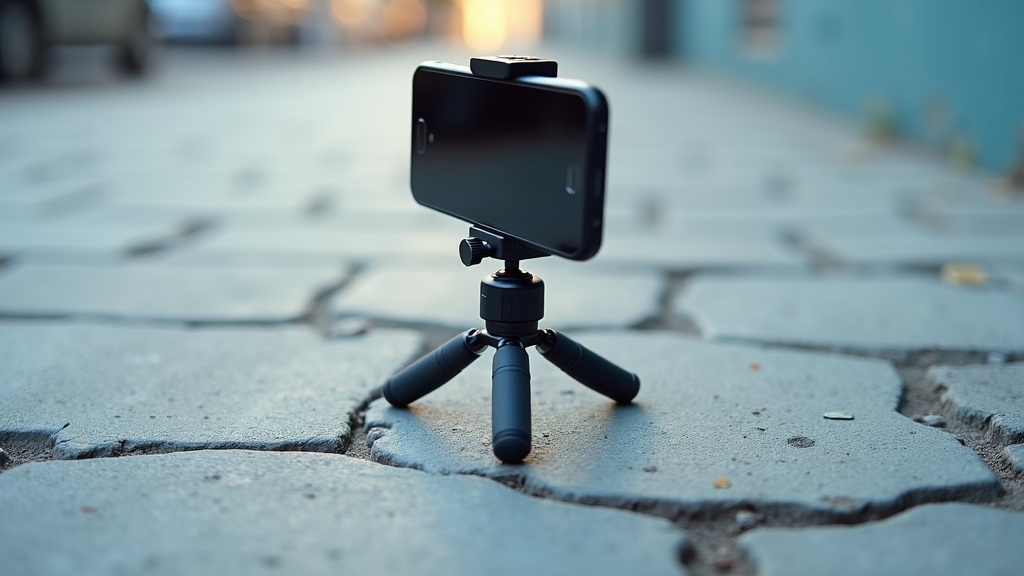
You set up your tripod, position your phone, step back — and watch the whole thing tip over. Maybe it wobbles every time there’s a slight breeze. Maybe it holds for a minute, then slowly leans until it gives up. You did what you were supposed to do. You used a tripod. It just didn’t work.
The standard advice skips a lot. It assumes flat floors, balanced gear, and ideal conditions. Real life is uneven pavement, lightweight plastic legs, and a phone that’s heavier than the tripod expects. That gap is where most of the frustration lives.
The good news: most tripod falls come down to a small number of fixable causes. You probably don’t need new gear — you just need to know what’s actually going wrong.
Your phone might be too heavy for the tripod
A lot of budget tripods were designed back when phones were lighter and thinner. Today’s smartphones — especially the bigger Pro or Plus models — are genuinely heavy little slabs. Add a chunky case, and you’ve got something that can easily overwhelm a flimsy tripod that was never built for that kind of load.
The problem isn’t just weight on its own. It’s where that weight ends up. When you clip your phone into a mount, the phone sits out in front of the tripod head, not directly over it. That shifts the balance point forward. The tripod is now fighting to hold something that’s constantly trying to tip away from it.
Clip-style mounts make this worse. They grip the phone from the sides and hold it at arm’s length from the tripod itself. The further the phone sits from the center, the more leverage it has — and the easier it is for the whole setup to topple.
So even if your tripod technically fits your phone’s connector, that doesn’t mean it can actually hold the weight. Fit and stability are two different things. A tripod that works fine with a small, light phone can completely fail with a newer, heavier one.
How you open the legs makes a bigger difference than you think
Most people pull the legs out a little and call it done. But a tripod with its legs barely spread sits on a tiny footprint — and a tiny footprint tips easily. Your phone doesn’t even have to be that heavy. A slight nudge, a gentle breeze, and it’s gone.
The fix is almost embarrassingly simple: pull the legs out further. Not a little further. All the way out, until you hit the stop. That wider spread lowers the whole setup and gives it a much broader base to balance on. It feels more stable because it actually is.
The other thing worth checking is whether all three legs are spread out equally. It’s easy to yank one leg wide and leave the other two close together without noticing. That gives you one stable side and one weak side — and your tripod will lean toward the weak side every time.
Take a quick look before you walk away. If the legs look uneven, adjust them. It takes five seconds and it’s often the only thing standing between your phone staying upright and hitting the ground.
Uneven ground is the most common outdoor problem
Most tripods are designed with flat, solid ground in mind. Take one outside onto grass, gravel, or a sloped path, and that assumption falls apart fast. One or two legs hover slightly above the surface, and the whole thing rocks the moment you touch it.
The fix is already built into your tripod. Almost every model lets you adjust each leg to a different length independently. That feature exists exactly for this reason. You are not working around a limitation — you are using the tripod the way it was meant to be used.
Extend or shorten individual legs until all three feet press firmly into the ground. Then give the tripod a gentle nudge. If it rocks, one leg is still floating. Find it, adjust it, check again.
Soft ground adds another wrinkle. On sand or grass, a leg that feels solid at first can slowly sink as the weight settles. Press each foot down deliberately before you walk away. A tripod that looked fine five seconds ago can be leaning noticeably by the time you hit record.
The angle of your phone mount shifts the balance
When your phone sits straight up in the mount, its weight sits roughly over the center of the tripod. That’s the position the tripod was designed for. The moment you tilt the phone — forward for a low-angle shot, backward to capture something above, or sideways for a dramatic portrait — that weight shifts away from center.
Think of it like holding a tray with one arm stretched out. The further the load moves from the middle, the harder you have to work to stop it tipping. A tripod has the same problem, except it can’t correct itself.
This hits hardest with tall, thin tripods. The higher the phone sits, and the more it leans, the worse the leverage gets. Even a small tilt can be enough to pull the whole thing over — slowly at first, then all at once.
The fix is simpler than it sounds. If you need the phone tilted forward, adjust one or two tripod legs to lean the whole setup slightly in the opposite direction. You’re essentially telling the tripod to lean back against the pull. The other option: move the tripod closer to your subject. Less distance usually means less tilt needed, which keeps the weight closer to where it belongs.
Wind and vibration are underestimated stability killers
Your tripod can look perfectly stable — and then a passing car or a light breeze proves otherwise. This happens because lightweight tripods have almost no mass to resist movement. A small gust that you’d barely notice can tip the whole thing over.
Your phone makes this worse. Held upright, it catches wind like a tiny sail. Flat, light, and broad — it’s basically designed to catch air, just not on purpose. Even a moderate breeze hitting the screen head-on puts real sideways force on legs that weigh almost nothing.
The simplest fix outdoors is to rotate the setup so the thin edge of the phone faces into the wind instead of the flat screen. Less surface area means less force. If your tripod has a center hook underneath, hang your bag from it. That extra weight sitting low down makes a real difference — the tripod becomes much harder to tip.
You can also just lower the legs. A tripod set low to the ground catches less wind and has a shorter lever for any gust to work against. It’s not elegant, but it works.
Vibration is a quieter problem. On smooth pavement near traffic or a busy footpath, tiny repeated vibrations can slowly walk a tripod’s rubber feet across the surface. You won’t see it happen — you’ll just find your shot has drifted. Placing the legs on a textured surface, or putting something grippy underneath, stops that creep. None of this is a flaw in your tripod. It’s just physics doing what physics does.
Smooth or slippery surfaces cause more falls than people expect
Here’s something that catches a lot of people off guard. You set up your tripod on a kitchen tile floor or a polished wooden desk, it feels perfectly solid, and you walk away. Then you hear the crash. The tripod didn’t fall because it was unbalanced. It slid.
Rubber feet grip well on rough or textured surfaces. But on tile, glass, smooth stone, or polished wood, that same rubber can act almost like a skate. Any small vibration — someone walking nearby, a notification buzz from your phone — can be enough to send it moving.
Worn or dirty feet make this worse. If the rubber has picked up dust or dried residue, it loses whatever grip it had. A quick wipe with a damp cloth before you set up takes about ten seconds and actually makes a difference.
If the surface is smooth, put something between the feet and the floor. A folded towel, a cloth, even a mousepad works well. The texture gives the feet something to hold onto. Before you let go of the tripod, press each leg down firmly and give it a gentle nudge. If it moves at all, it will eventually fall.
This is one of the most common reasons indoor tripod falls happen — and almost nobody thinks to check the surface first.
Sometimes the tripod is genuinely not built for the job
Here’s something no one really says out loud: some tripods just aren’t built to hold a modern smartphone. Not because they’re broken, but because they were designed for tiny cameras or older, lighter phones. If yours is a compact tabletop model or one of those flexible bendy-leg designs, it was probably made with something much lighter in mind.
There are a few clear signs. When you clip your phone on, the legs splay outward slightly under the weight. The neck or the joint where the phone sits flexes a little, even when everything is tightened. Or it tips over on a completely flat surface with the phone sitting dead center. These aren’t technique problems. The tripod is telling you it’s at its limit.
That doesn’t mean you bought the wrong thing. Those small tripods are genuinely useful for a lot of situations. But they have a ceiling. Asking one to hold a large phone steady at full height, especially outside where there’s any wind or movement, is past what they were built to do.
If you’ve already tried adjusting the legs, redistributing the weight, and finding a flatter surface — and it’s still tipping — that’s useful information. The tripod isn’t malfunctioning. It’s just not the right tool for what you’re trying to do right now.